
Your voice, organized.
Recording a meeting? Drafting an email? Dumping your to-dos? Tell Voice Planner what it is. Get back structure, not a transcript. 100% on-device, on your Mac.
Free · takes 30 seconds · no credit card
* Requires an Apple Silicon Mac with macOS 26 · iPhone app on the way
Voice input
“Um best practices for handling authentication tokens in React Native with refresh token rotation and secure storage
Clean text
Best practices for handling authentication tokens in React Native with refresh token rotation and secure storage
Works with all your favorite apps
You think faster than you can type.
Ideas hit when you're walking, driving, or between meetings. By the time you open a notes app, half the thought is gone.
~4×
faster than typing. Your voice is the quickest way out of your head.
How it works
Three steps. Zero effort.
01
Pick a type
Tell it what you're making before you talk.
02
Talk naturally
Messy, fast, mid-thought. Fillers are fine.
03
It's organized
A 13-minute meeting is ready about 3 minutes after you hit stop.
The app
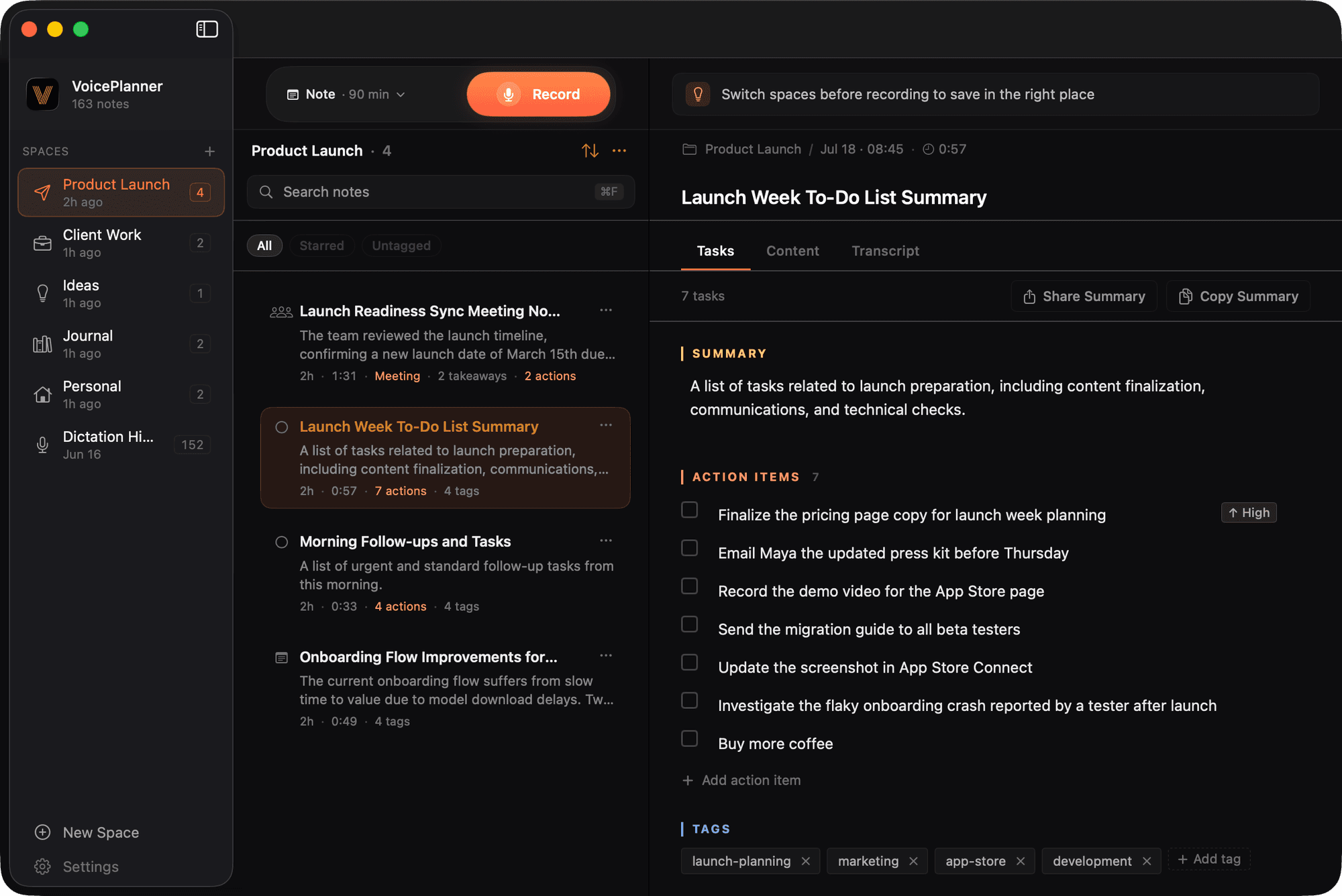
This is Voice Planner.
Spaces keep projects apart. Every recording lands processed: tasks, summary, tags. Done.
Features
Six recording types. Six different outputs.
Pick what you're recording. Your words come back in that shape.
Dictation
Speak, stop. Clean text appears at your cursor.
- Free on macOS. Unlimited dictations, no subscription
- Text appears at your cursor when you stop speaking
- Copied to your clipboard too. Paste it anywhere
- Filler words and false starts cleaned up automatically
- Last 100 dictations stored in the app for reference
Voice input
“Hey um yeah that works for me let's do Thursday at 2 instead and uh can you send …”
Clean text
That works for me. Let's do Thursday at 2 instead. Can you send me the latest mockups before the call so I can review them?
Notes
Think out loud. Get a titled, tagged note.
- Auto-generates a title from your content
- Splits your recording into sections with headers
- Extracts 3–5 relevant tags automatically
- Up to 90 minutes of recording
Voice input
“So like I've been thinking about the onboarding flow right and um the main issue is we need …”
Structured note
Onboarding Flow Improvements
Focus on reducing time to value. A/B test signup form — too many fields. Research Notion's first-run wizard for inspiration.
To-Do List
Say it. It becomes a task.
- Extracts action items with priorities (high/med/low)
- One rambling recording, multiple clean tasks
- Auto-titles the list and tags it for you
- Adds a short summary of what you said
Voice input
“Okay so um I need to email Sarah about the budget report and that needs to happen by …”
Tasks extracted
Journal
Speak your day. Get a journal entry.
- Mood and energy level detection
- Extracts gratitude, highlights, and lowlights
- Identifies learnings, goals, and key events
- Generates a reflection prompt for tomorrow
Voice input
“Today was really productive had a great team sync where we aligned on Q3 roadmap I learned that …”
Journal entry
Gratitude
• Mike fixing the overnight production bug
Learnings
• Clear ownership makes alignment faster
Goals
• Finish landing page, collect beta feedback
Reflection
“What made today's alignment work?”
Email Drafts
Dump your thoughts. Get a polished draft.
- Generates subject line from your content
- Full email with greeting, body, and sign-off
- Tone-aware: professional, casual, or formal
- Ready to copy and send
Voice input
“So um I need to tell Sarah about what we decided in the budget meeting today basically we're …”
Email draft
Hi Sarah,
Following up on today's budget meeting. Here's what we aligned on: (1) Moving $50K from marketing to product for launch engineering. (2) Hiring two backend engineers. (3) Office expansion deferred to Q4.
Finance needs the updated spreadsheet by EOM — could you send your numbers?
Thanks,
Meeting Notes
An hour of meeting. A minute of reading.
- Extracts decisions, action items, and open questions
- Identifies attendees and key takeaways
- Separates what was decided from what's still open
- Up to 90 minutes of recording
Voice input
“Okay so in today's sprint planning we went through the backlog and uh we decided the launch is …”
Meeting summary
Decisions
• Launch date → March 15 (payment bugs)
Action Items
• Sarah: update timeline — Fri
• Mike: budget proposal — Thu
Open
• Contractor for backend migration?
Summary
Timeline shifted for QA. Budget ownership assigned.
...
More than a transcript.
Every recording keeps its word-for-word transcript. And becomes something you can act on.
A transcript
“okay so um I need to email Sarah about the budget report and that needs to happen by Friday at the latest um also I should probably call the dentist to reschedule that appointment I keep putting off oh and grab coffee filters on the way home”
Every word, kept.
Your to-do list
The same words, ready to act on.
Ready to try it?
Join the free beta. No credit card needed.
Mac dictation
Dictate anywhere on your Mac.
Meet the dictation pill. It lives above your windows, ready whenever you are.
 Record
Always on top
A tiny pill that floats above every app, even with Voice Planner tucked away in the menu bar.
⌥V to start, ⌥V to stop
The moment you stop, clean text lands wherever your cursor is. Fillers already gone.
Free and unlimited
Every dictation, cleaned up and saved in the app. No subscription on macOS.
Can someone summarize the budget changes from today's meeting?
I have my notes, let me type it up...
We discussed three main changes to the Q3 budget: moving $50K from marketing to product, hiring two more engineers, and delaying the office expansion to Q4.|
Works anywhere you can type
Private by architecture.
0
bytes of your audio leave your device
Recordings, transcripts, and organized notes are processed and stored on your Mac. Not uploaded. Not analyzed. Not used to train anything.
On-device AI
The AI model lives on your device. Your audio is processed by your own chip, not a data center.
Works offline
Turn on Airplane Mode. Recording, transcribing, organizing: it all still works.
No data training
Your recordings never train any AI model. Period.
Your content never leaves your device. We see anonymous usage stats (which features get used, never what you said) and your signup email. That's it.
Building in public
Shipping every week.
24 beta releases since May 2026. Here are the latest:
More space icons and onboarding fixes.
Polished summary views with editable key points.
Redesigned onboarding with guided setup and background model download.

Why I'm building this
I kept losing my best ideas to my own typing speed. Walking, driving, between meetings: the thought is right there. By the time I've opened a notes app and started typing, half of it is gone.
Voice memos weren't the answer either. A pile of recordings you never replay isn't a system. It's a graveyard.
So I built Voice Planner. Speak the moment the thought hits, tell it what it is, and get it back organized: a task list, a note, a journal entry. And because I didn't want my rambling sitting on anyone's servers, the AI runs entirely on your device.
I'm building this solo and shipping updates every week. The beta is free, and I read every piece of feedback myself.
— the founder
FAQ
Questions
Capture ideas on the go. Find them organized when you're back.
Join the beta. You'll get a confirmation email with download instructions.
Free · takes 30 seconds · no credit card